User Schedules
User Schedules allow you to control how calls are handled based on the time of day and day of the week. You can set up different routing rules for business hours, after hours, weekends, and holidays.
Accessing Schedules
- Log in to your WebFones account
- Click Schedules in the navigation menu
- Select the schedules you want to edit

Understanding Schedules
A schedule defines time periods when specific call handling rules apply. Common uses include:
- Business Hours - Route calls to your desk phone during work hours
- After Hours - Send calls to voicemail or an answering service
- Lunch Break - Forward calls to a colleague or mobile phone
- Vacation - Route all calls to voicemail with a custom greeting
Viewing Your Schedule
Your current schedule shows:
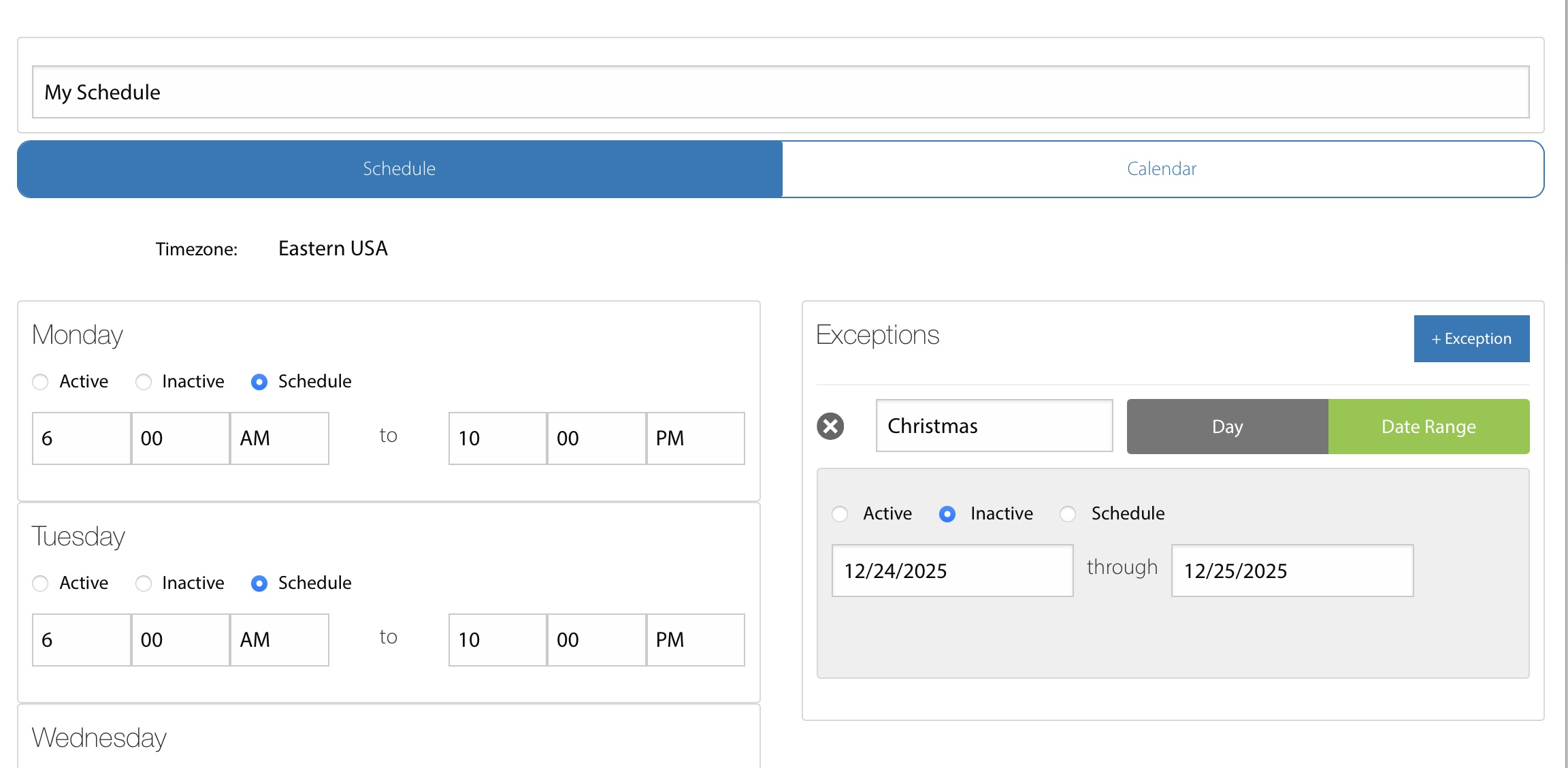
- Default Daily Time Periods - Daily times when schedule is active.
- Exceptions - Days or time periods when we override the default.
Schedule Types
Weekly Schedule
Recurring schedule based on days of the week and times. For example:- Monday-Friday: 9:00 AM - 5:00 PM (Business Hours)
- Saturday-Sunday: INACTIVE All Day (Weekend)
Lunch schedules are often daily and route calls during lunch time. They should be set as SCHEDULED so that they will route calls during the times that lunch is active.
Schedule Hours
In some cases, scheduled hours can start one day and go to the following day (e.g. Open at 4PM and close at 3AM). Both the daily schedules and schedule exceptions will interpret than earlier ending time as ending on the following day.
When a schedule is set to ACTIVE, they will be active from 12AM to 12AM the following day relative to the selected timezone.
Schedule exceptions that are set to INACTIVE will override a daily active schedule but will not override an exception that includes the same date range setting the schedule to active.
Temporary Override
Adding a schedule exception for the day can be useful for:- Unexpected office closures
- Special events
- Personal time off
Requesting Schedule Changes
If you need to modify your schedule, contact your system administrator. They can:
- Adjust your business hours
- Add personal time off
- Set up custom call routing rules