▼
Getting Started
▼
How To
- Simple Number Setup
- Simple Call Flow Setup
- Setup Voicemail
- Create a New Extension
- Edit Phone Buttons
- Create a Conference Bridge
- Create a Fax Extension
- Setup e911
- Ordering Phone Numbers
- Porting Phone Numbers
- Simple Call Flow Menu Setup
- Simple Hours Schedule
- Creating Agents
- Design an Auto-attendant
- Hotdesk
- Test e911
- Create a Routing Extension
- Create Cascading Rings
- Create Cascading Ring to Queue
- Adding a Forward
- Limit 800 Spammers
- Find Call Records
- How To…
▼
Preferences
▼
Management
▼
Phone Admin Guide
▼
Call Flows
▼
API Reference
Home ›
Call Notification URL
Call Notification URL
Call Notification URL
The Call Notification URL offers a way for application integrators to create a screen pop in their software with details of the incoming call. This is used in cases where a user may want to see a call notification on their screen and even open a contact record to quickly review the caller’s information as they answer the call.
The Call Notification URL is configured from the API Preferences screen located under the gear menu under your phone system administrator area. Here is what the screen looks like:
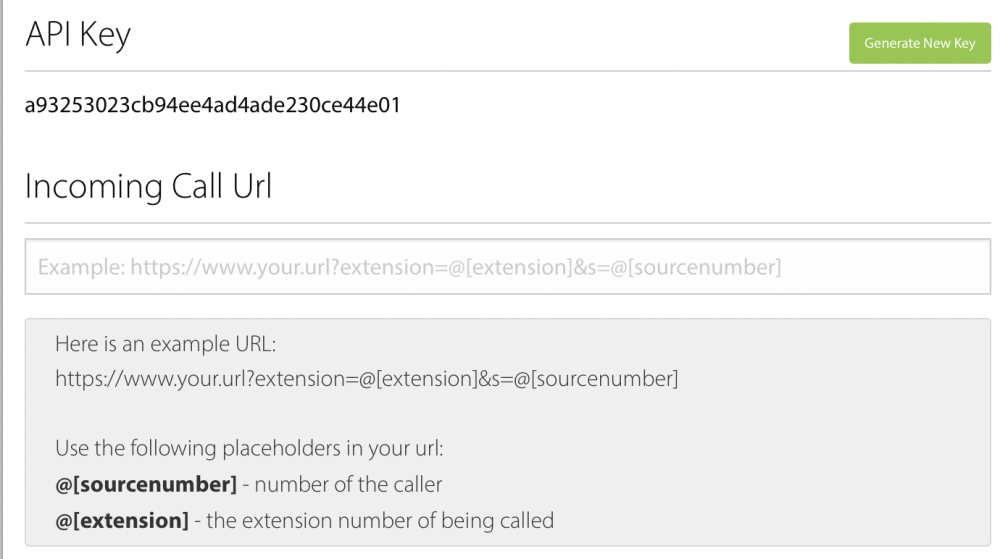
Here is an example URL:
https://www.your.url?extension=@[extension]&s=@[sourcenumber]
Use the following placeholders in your url:
[sourcenumber] -- number of the caller.[extension] -- the phone extension that is ringing.