▼
Getting Started
▼
How To
- Simple Number Setup
- Simple Call Flow Setup
- Setup Voicemail
- Create a New Extension
- Edit Phone Buttons
- Create a Conference Bridge
- Create a Fax Extension
- Setup e911
- Ordering Phone Numbers
- Porting Phone Numbers
- Simple Call Flow Menu Setup
- Simple Hours Schedule
- Creating Agents
- Design an Auto-attendant
- Hotdesk
- Test e911
- Create a Routing Extension
- Create Cascading Rings
- Create Cascading Ring to Queue
- Adding a Forward
- Limit 800 Spammers
- Find Call Records
- How To…
▼
Preferences
▼
Management
▼
Phone Admin Guide
▼
Call Flows
▼
API Reference
Home ›
Create a New Extension
Create a New Extension
Adding a User Extension
####Step #1
Click the + Add Extensions button on the Extensions page:

####Step #2
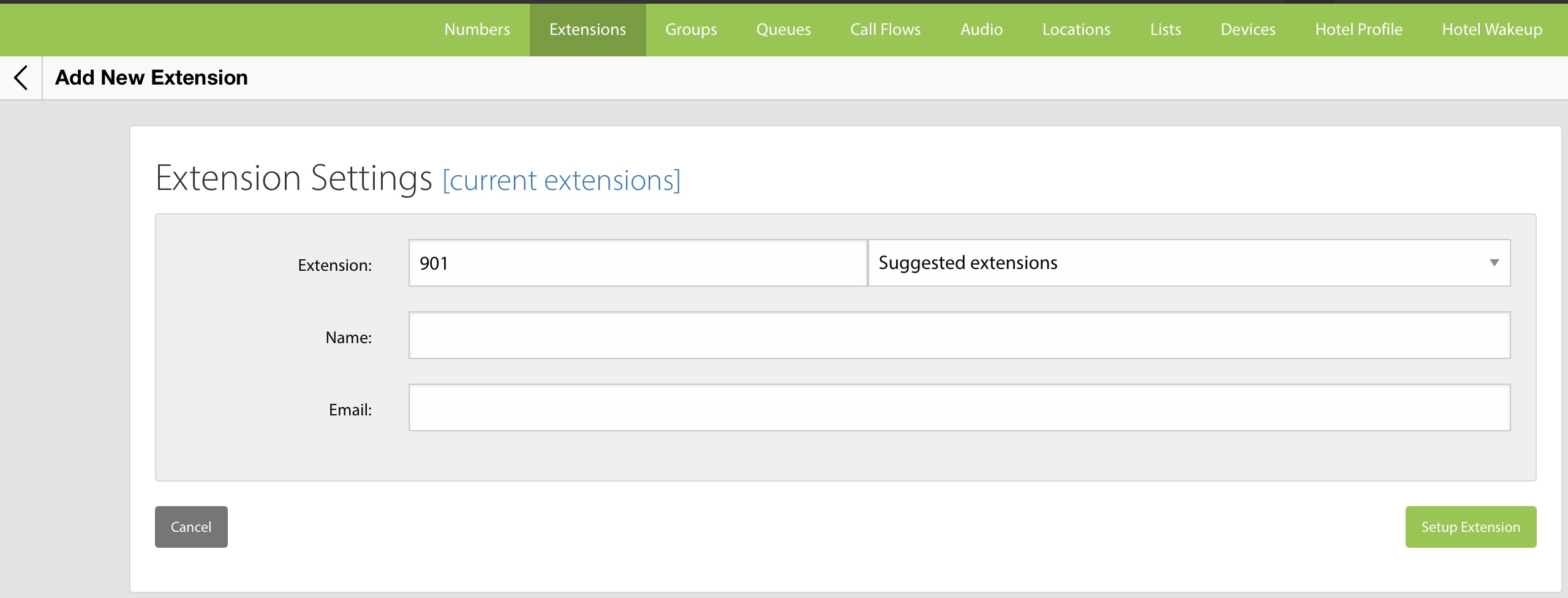
Choose “Add Office Extension” and fill out the form.
Field Descriptions
Extension — The number used to identify the extension within the phone system.
You can also use the Suggested Extensions dropdown to pick the next available extension from predefined ranges that are available.
Name — The display name for the extension. We recommend using the first and last name of the person assigned to the extension.
Email — The email address of the extension’s primary owner.